Contents · Create an organization and invite teammates
Guide
Create an organization and invite teammates
The first person on a team creates the organization and invites teammates.
Whoever creates it becomes the admin. lodelai is in beta, and we invite people from the waitlist in order. Once you're invited, you need an organization code from the server admin.
Create an organization
- Get the server address and an organization code from the server admin.
- Enter the server address in Invite link or server address on the first screen.
- Enter the 6-digit code sent to your email and click Verify.
- Enter the organization code in Enter your invite code.
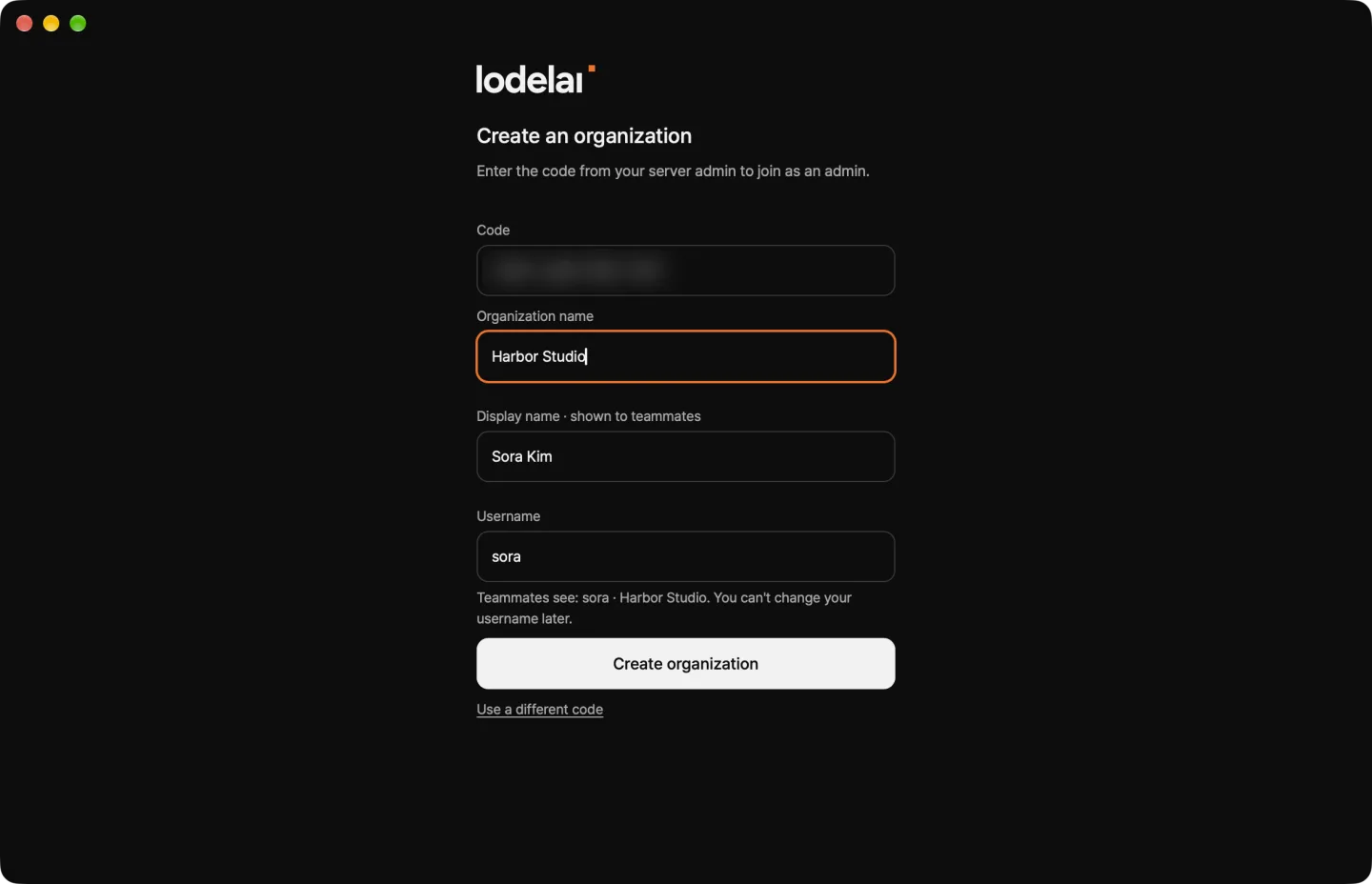
- On Create a new organization, enter the organization name, your display name, and a username, then click Create organization.
Invite teammates
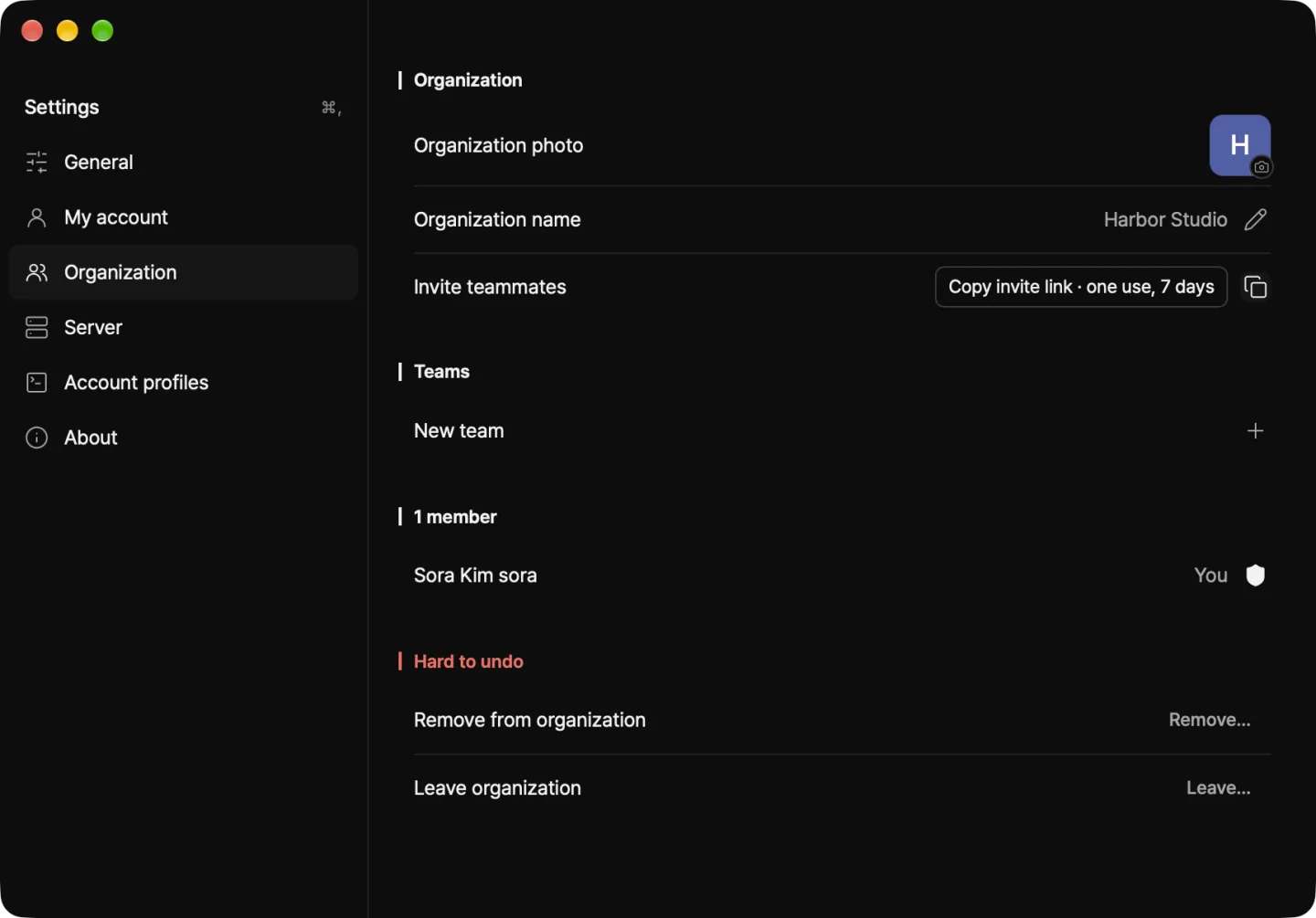
- In Settings › Organization, click Copy invite link.
- Send the link by email or messenger. Each link works for one person, once, for 7 days.
- When a teammate signs up, they appear in your teammates.
What admins do
In Settings › Organization:
- Make admin — You can have several admins.
- Remove from organization — All their devices are disconnected. They need a new invite to come back.
Next: Open an agent